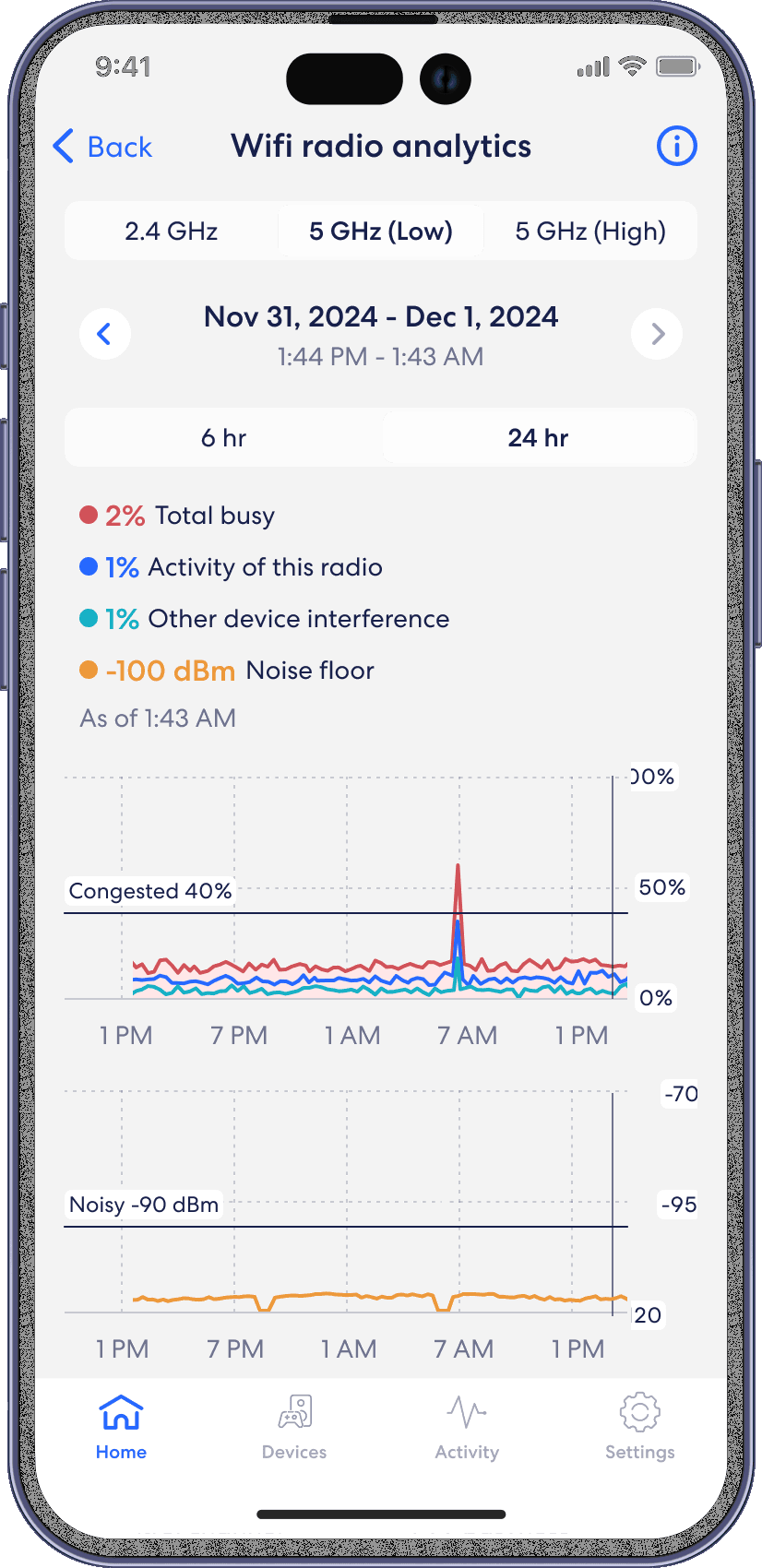
WiFi Radio Analytics
eero
View more advanced wireless details like channel busyness, noise floor, and the channels and bandwidth being used by the eero devices on your network. View Wifi Radio Analytics from the Home tab in the eero mobile app.
Step 1
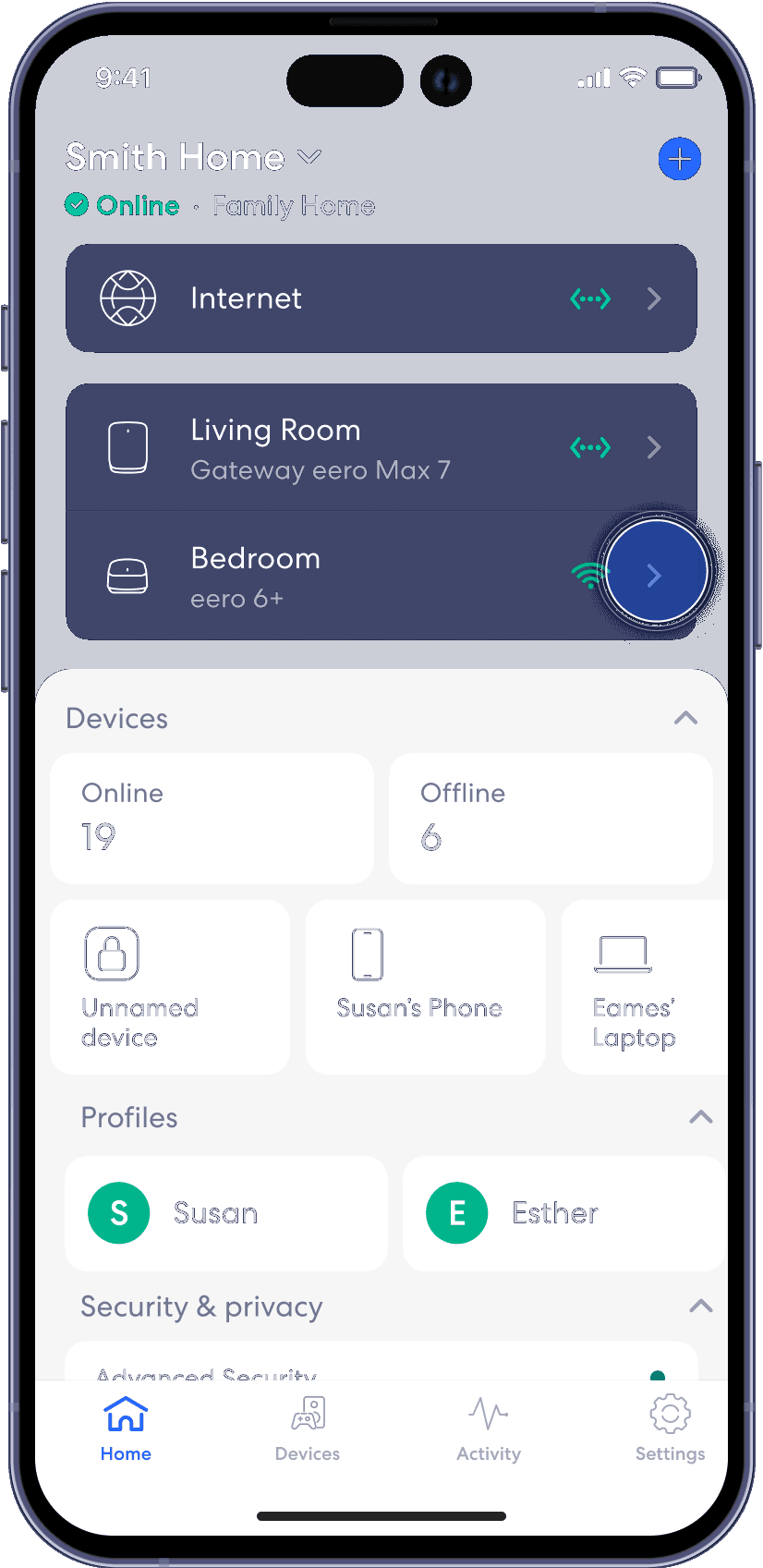
From the Home tab, tap on one of your eero devices to go to the eero details page.
Step 2
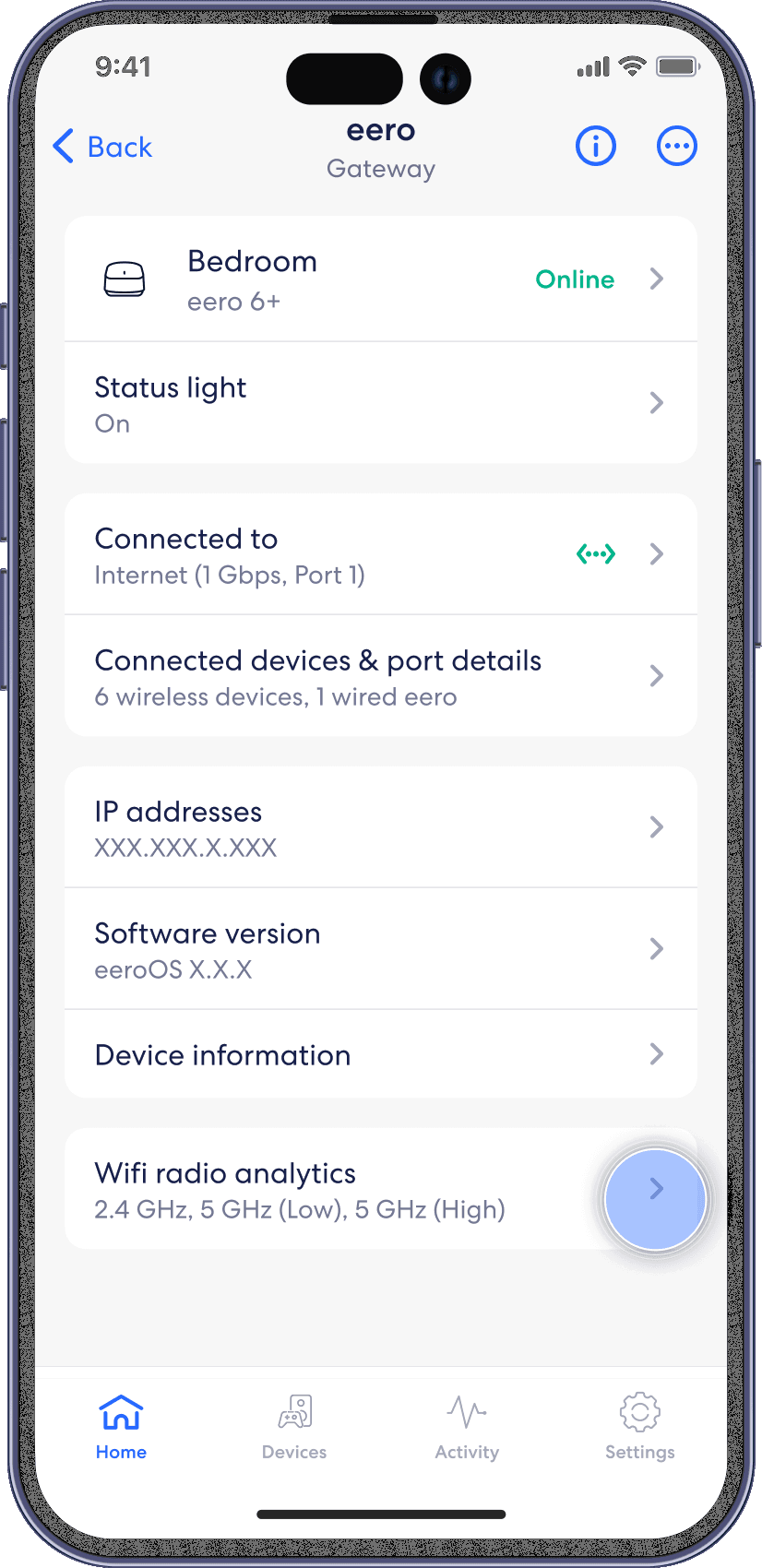
Tap on Wifi Radio Analytics to view Wifi Radio Analytics.
Step 3
Toggle through the Wifi Radio Analytics tabs to explore the data.