Pausing WiFi to specific devices
eero
Pause your wifi network by setting schedules for specific profiles or devices.
Note: You can also pause wifi for profiles and devices on demand from the Profiles and Devices screens.
Step 1
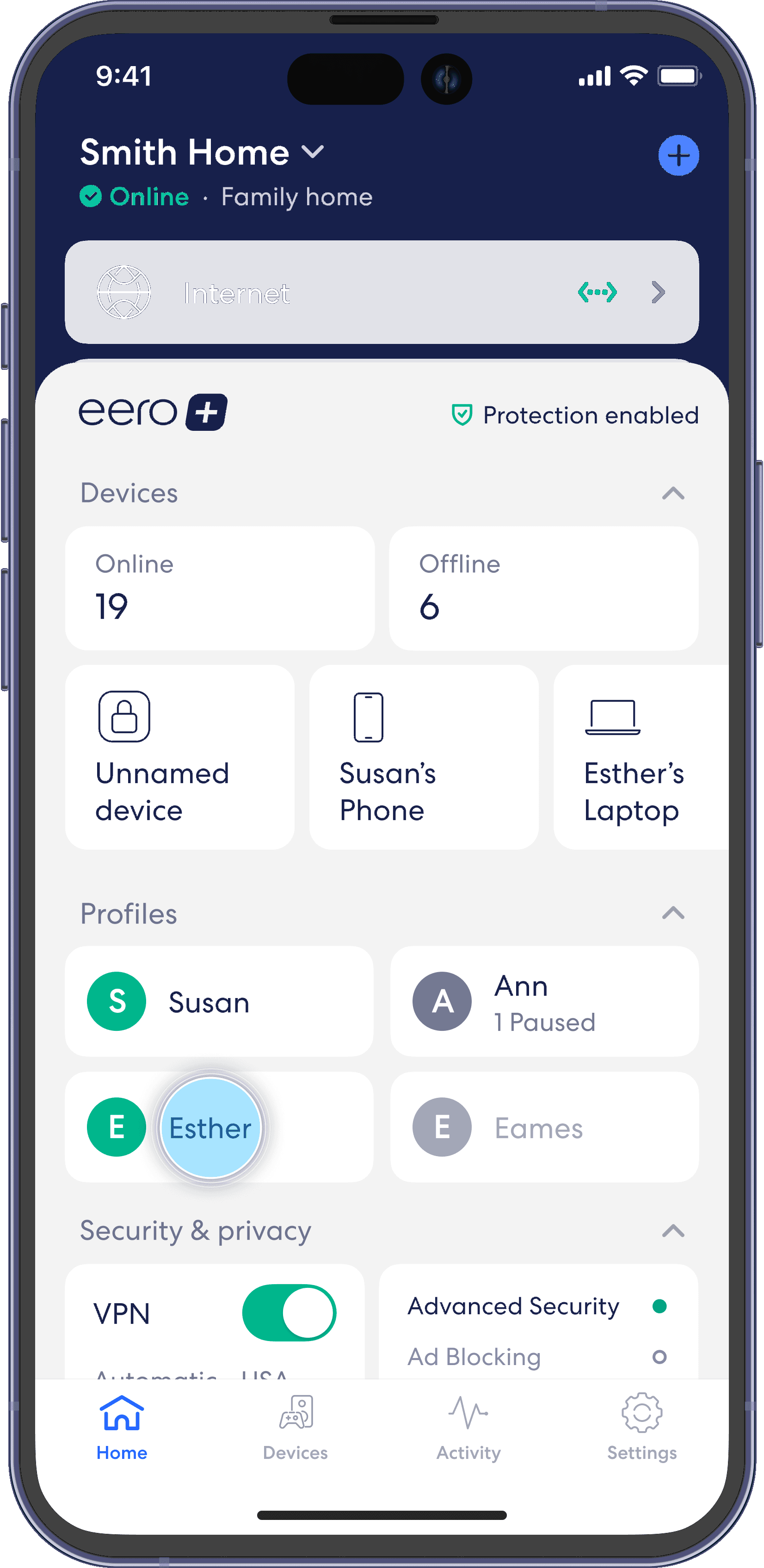
From the Home tab, tap the profile for which you want to set a schedule.
Step 2
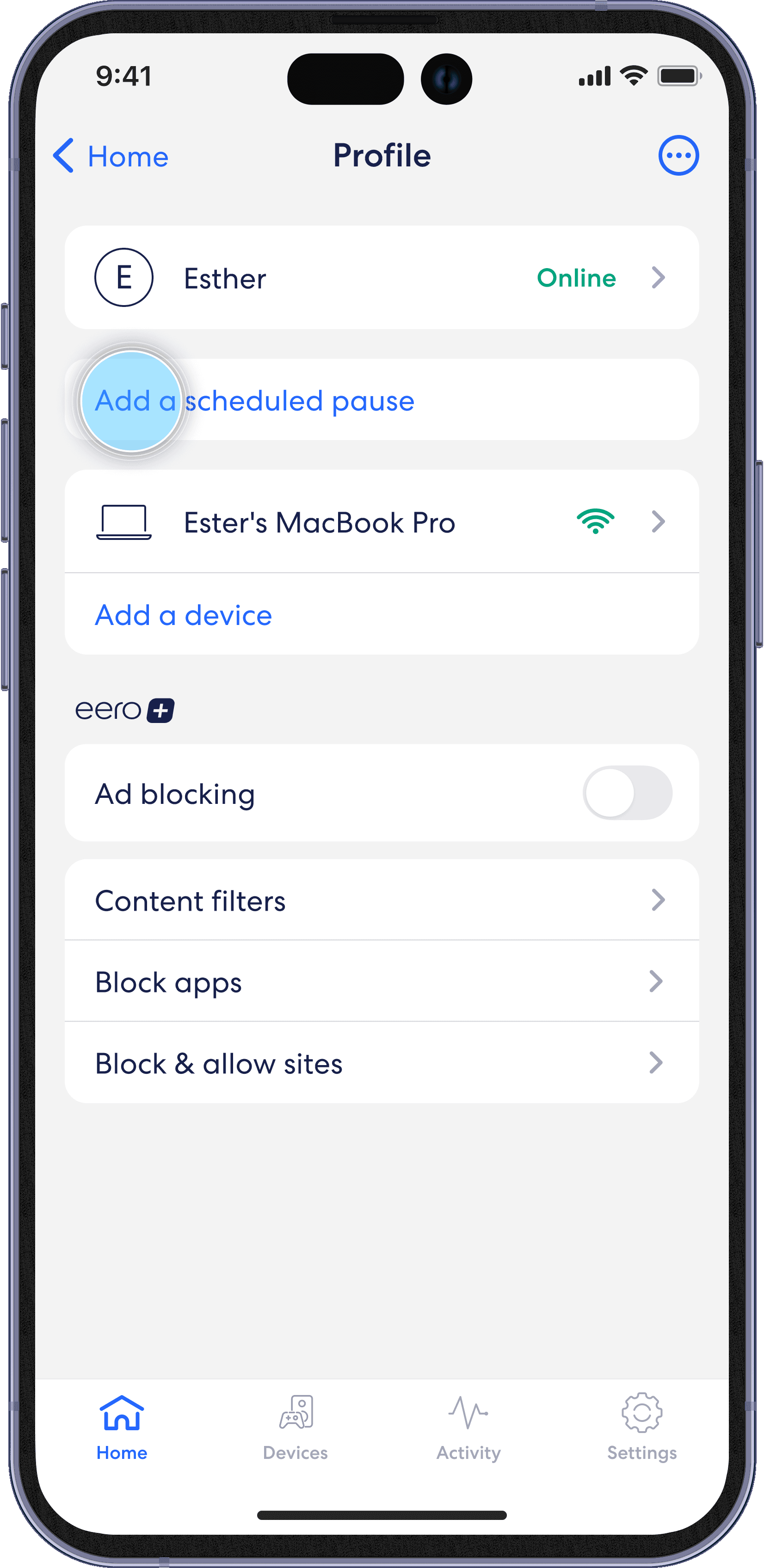
Select Add a scheduled pause.
Step 3
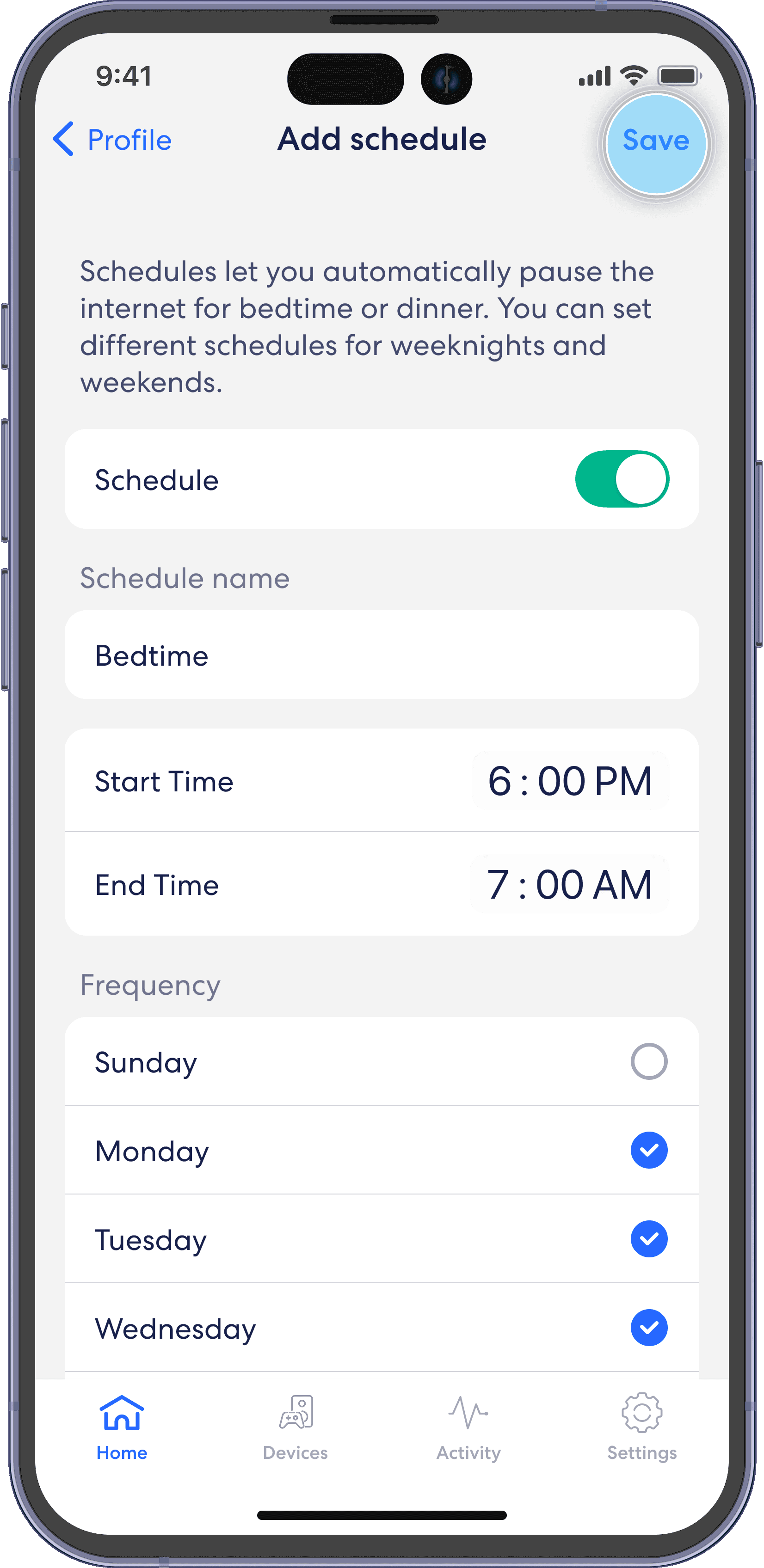
Update the schedule name, start time, end time, and frequency for the scheduled pause, then tap Save.