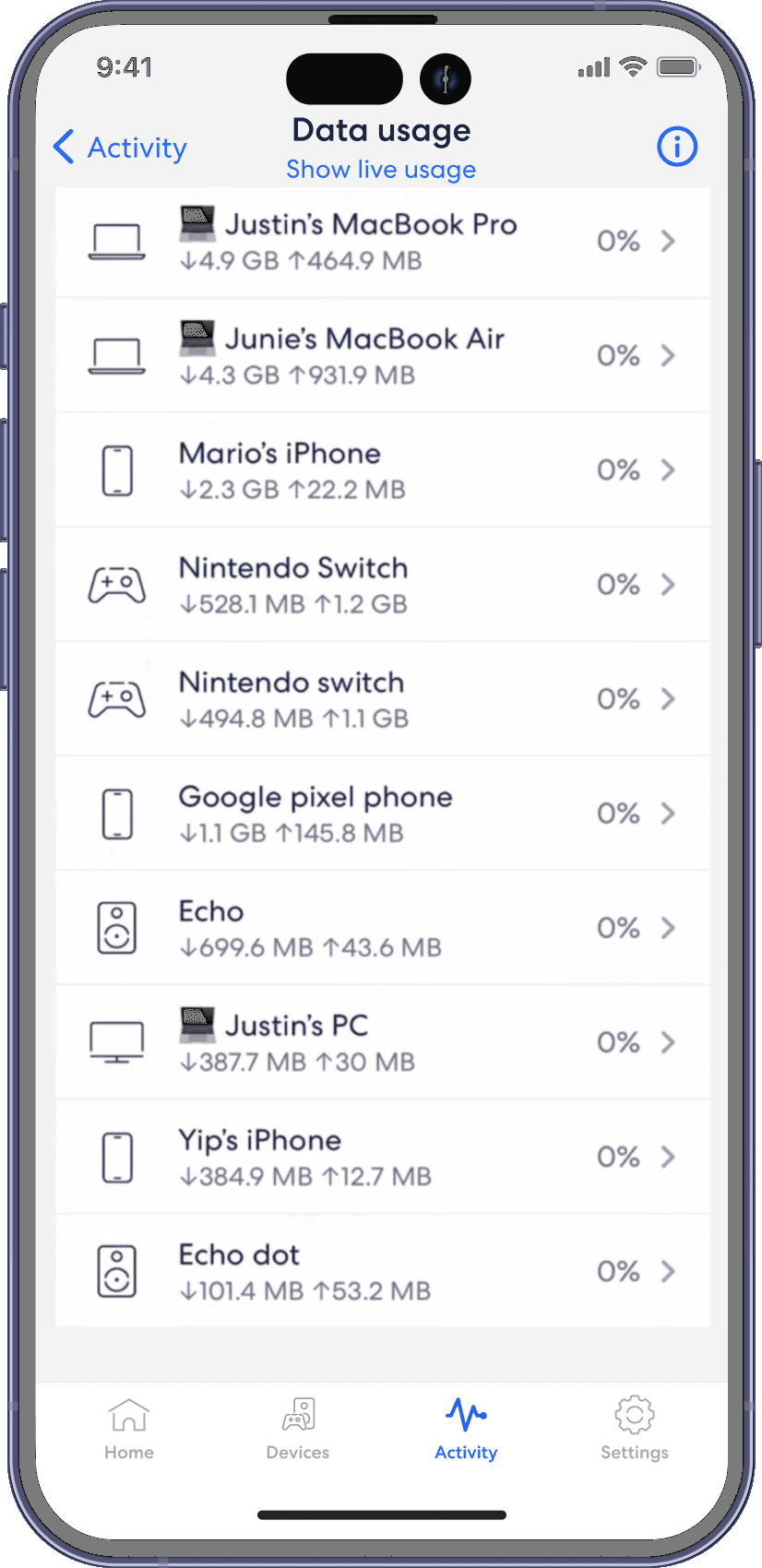
Historical data
eero
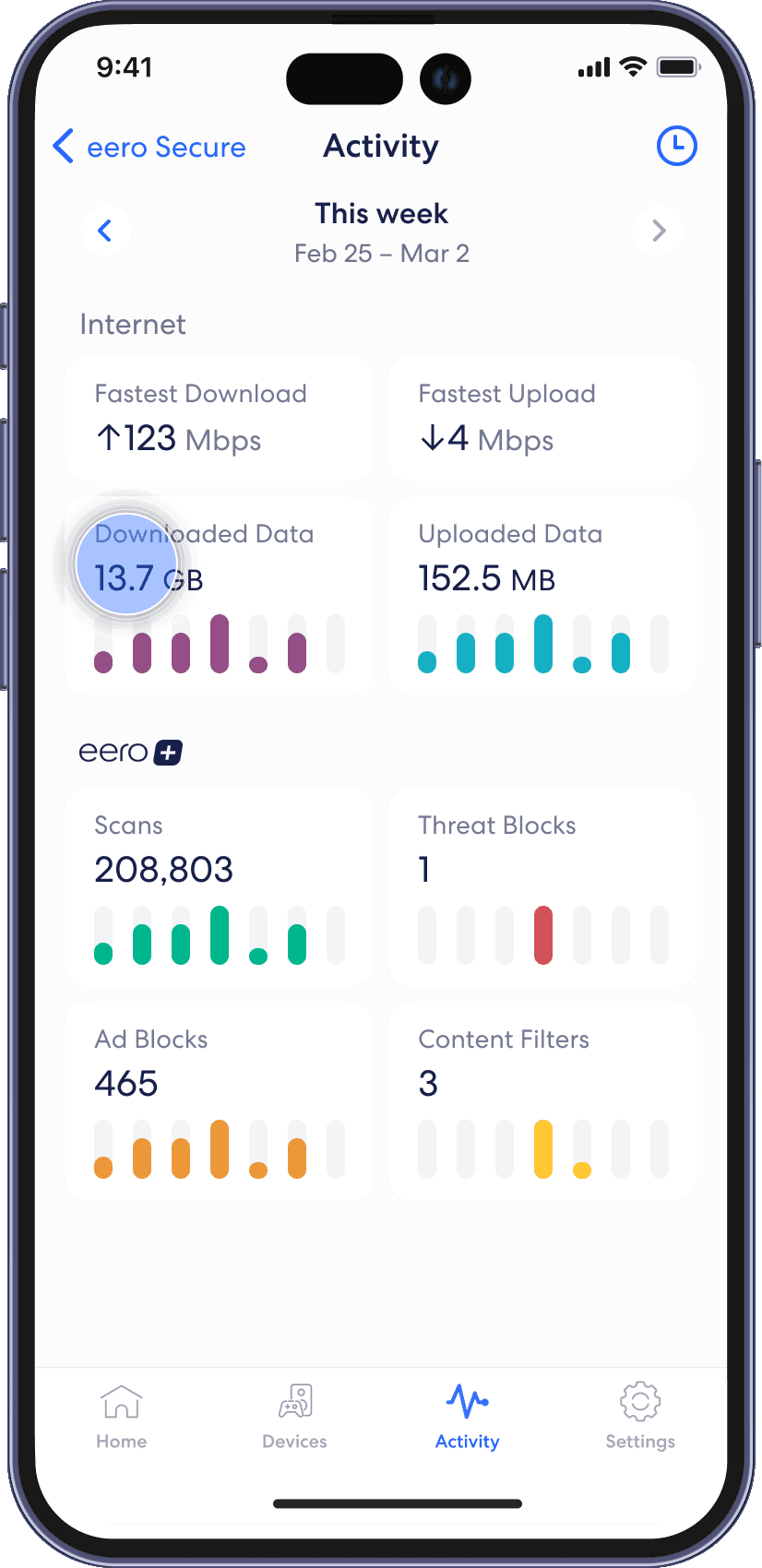
Check out the Activity tab to see how eero is handling threats, ads, and Content Filters based on your choices for your network. View data usage activity from the Activity tab in the eero mobile app.
Step 1
From the Activity tab, tap on the Downloaded Data or Uploaded Data block.
Step 2
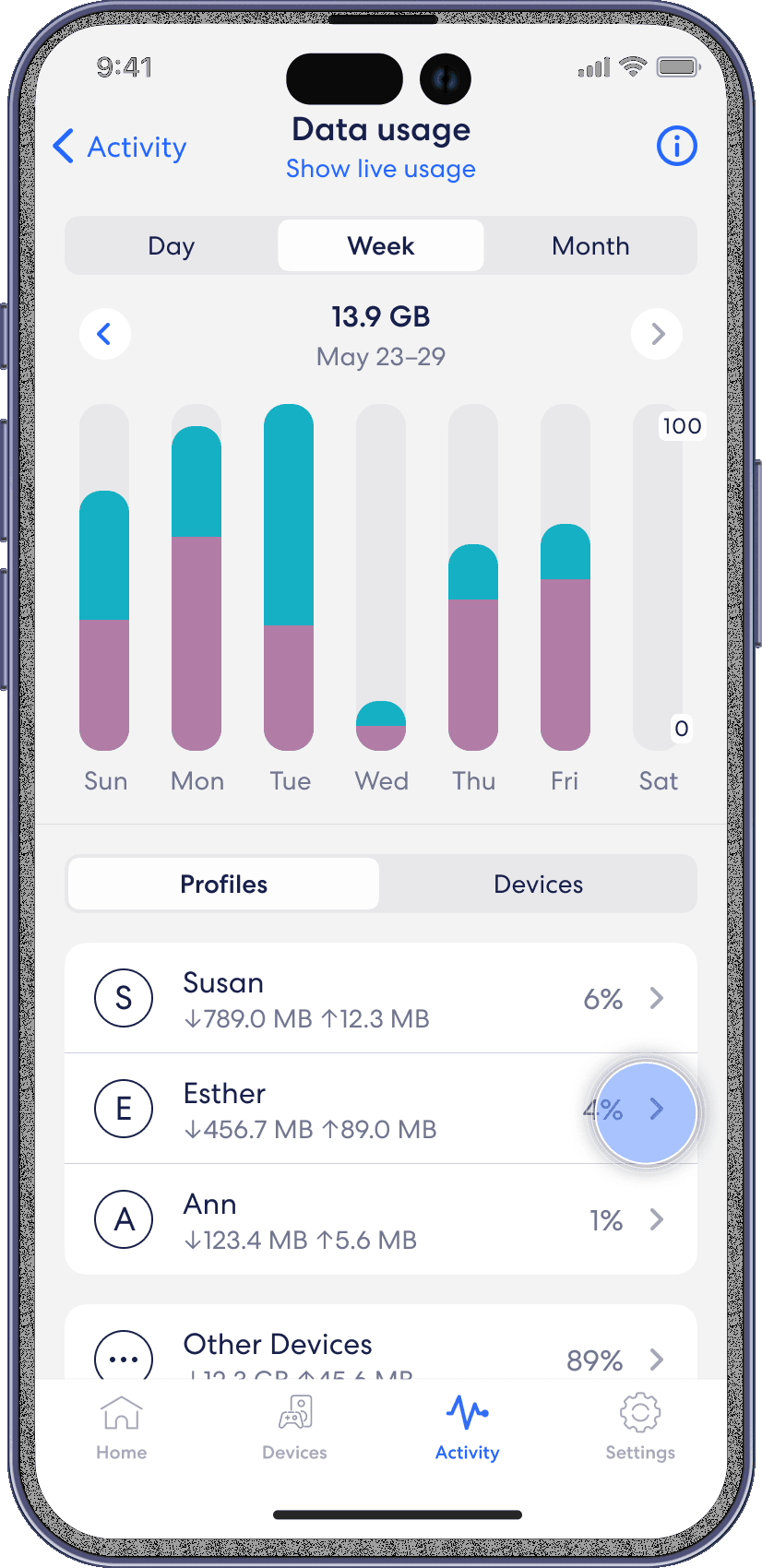
Navigate between Day, Week, and Month tabs, and the Profiles and Devices tabs
Step 3
Select a profile or device to view more details.