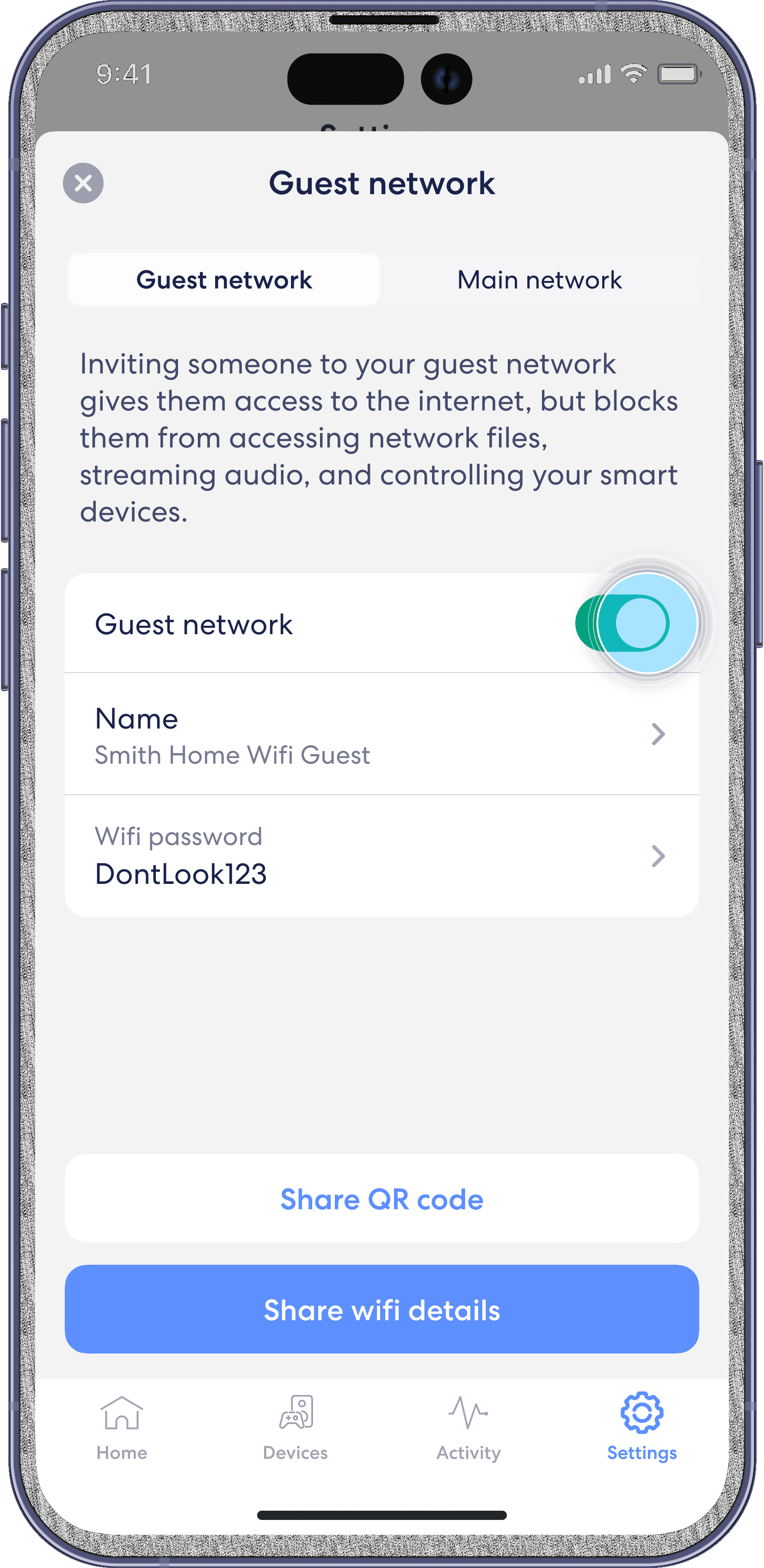
Set up guest WiFi
eero
With eero, you can create a guest wifi network so visitors can access your home internet without needing your main network’s password.
Note: You can disable the guest network at any time by following the steps below and toggling Guest network to Off. Any devices connected to the guest network will lose connectivity.
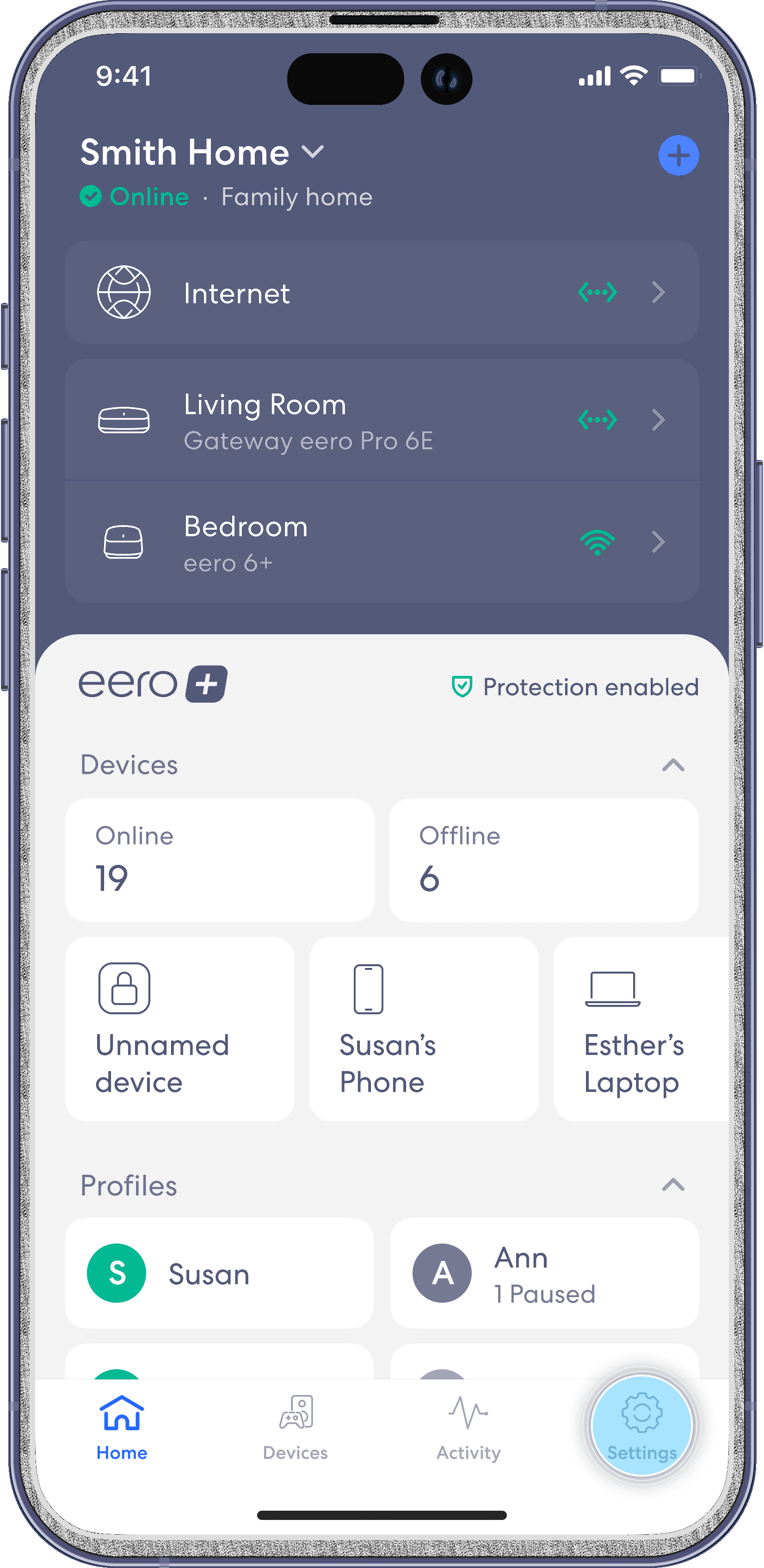
Step 1
Tap on the Settings tab in the bottom right.
Step 2
Tap on the Guest network option.
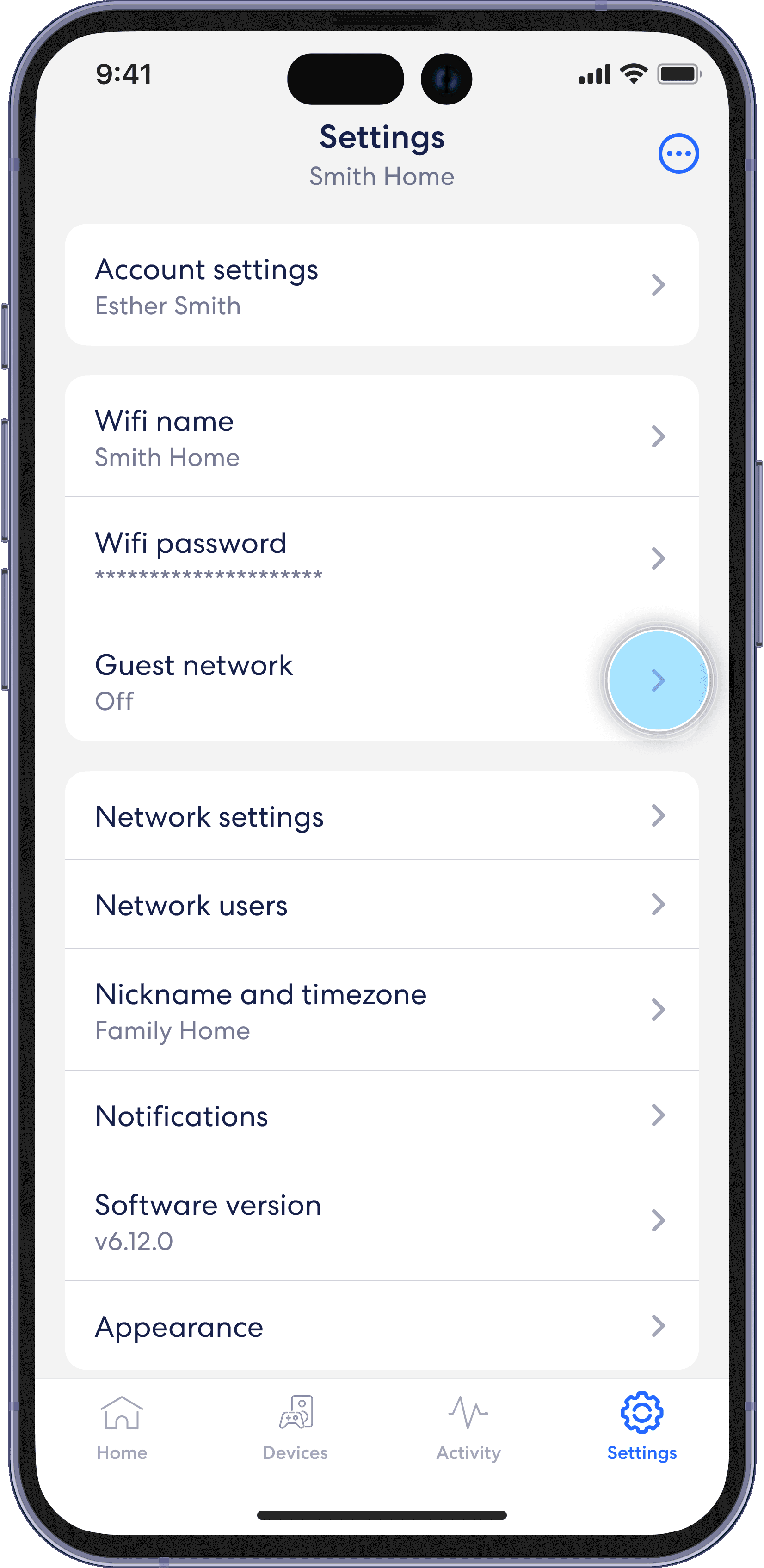
Step 3
Toggle the Guest network option to enable the guest network. Edit the guest wifi name and password.