Create profiles
eero
Create profiles so that you can set custom schedules, control internet access, and apply content filters by profile.
Step 1
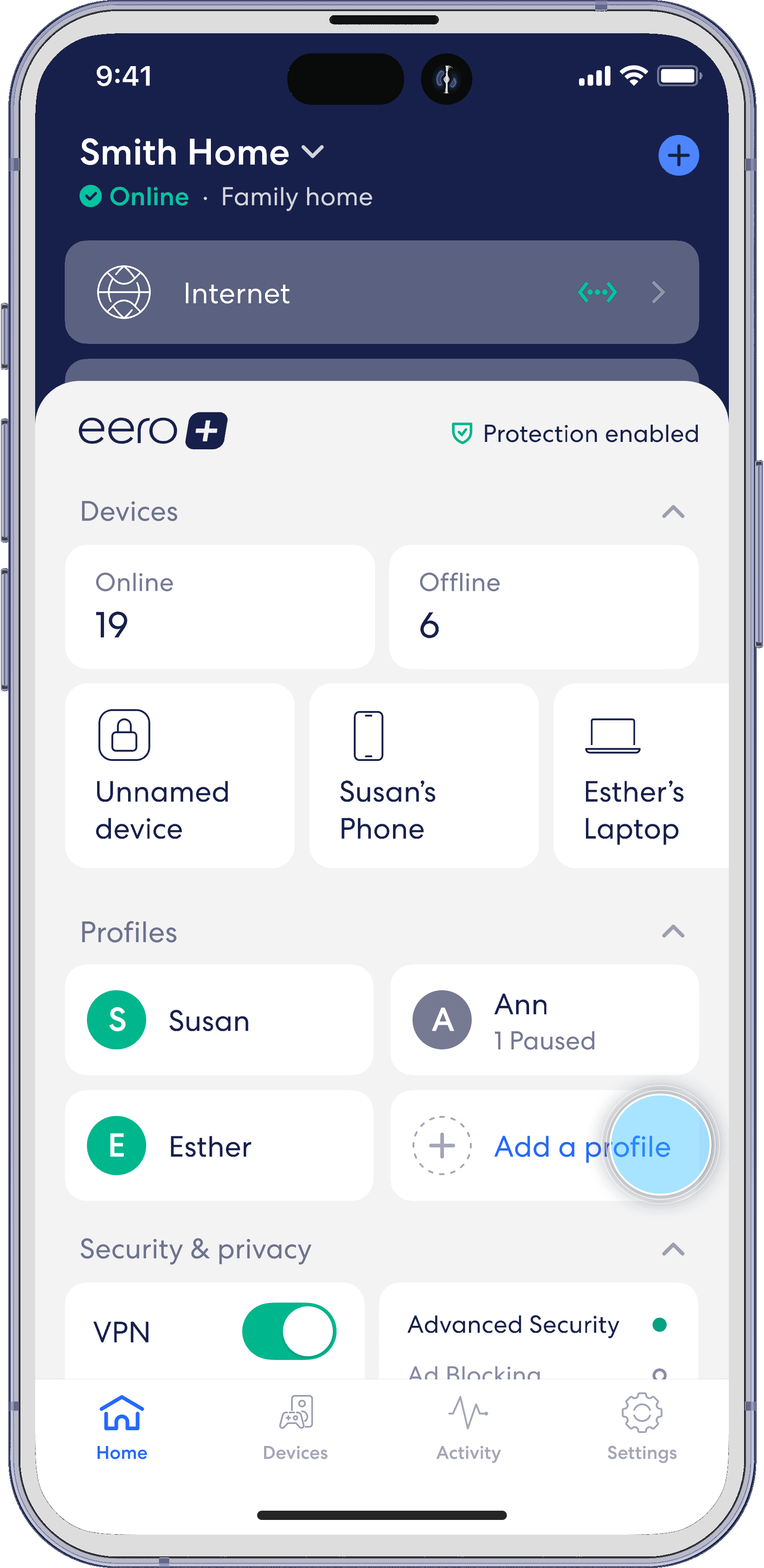
From the Home tab, tap on Add a profile in the Profiles section.
Step 2
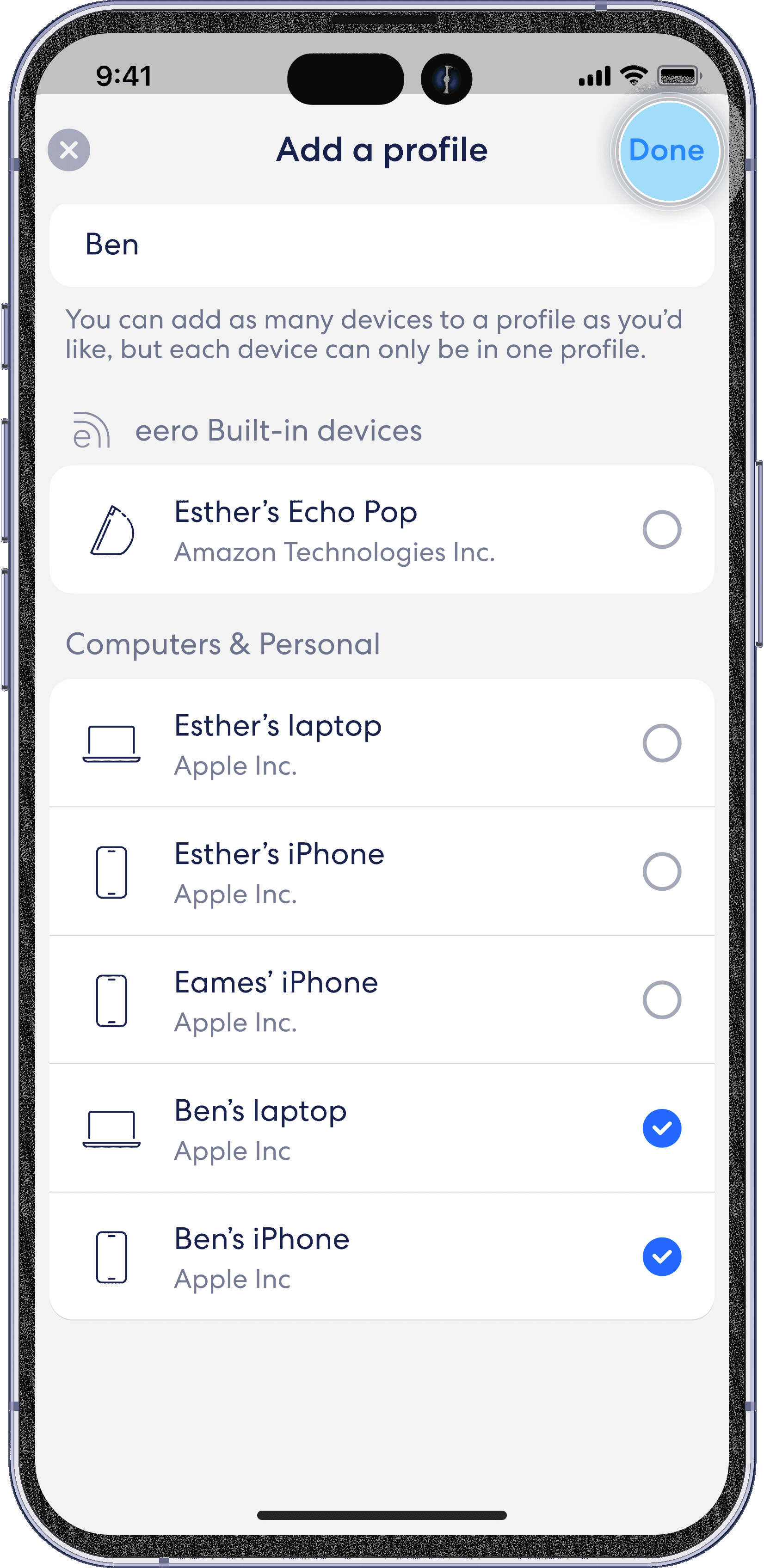
Enter the name of the person for whom you’re creating a profile.

Step 3
Add any devices that will be associated with the profile and then tap Done in the top right.