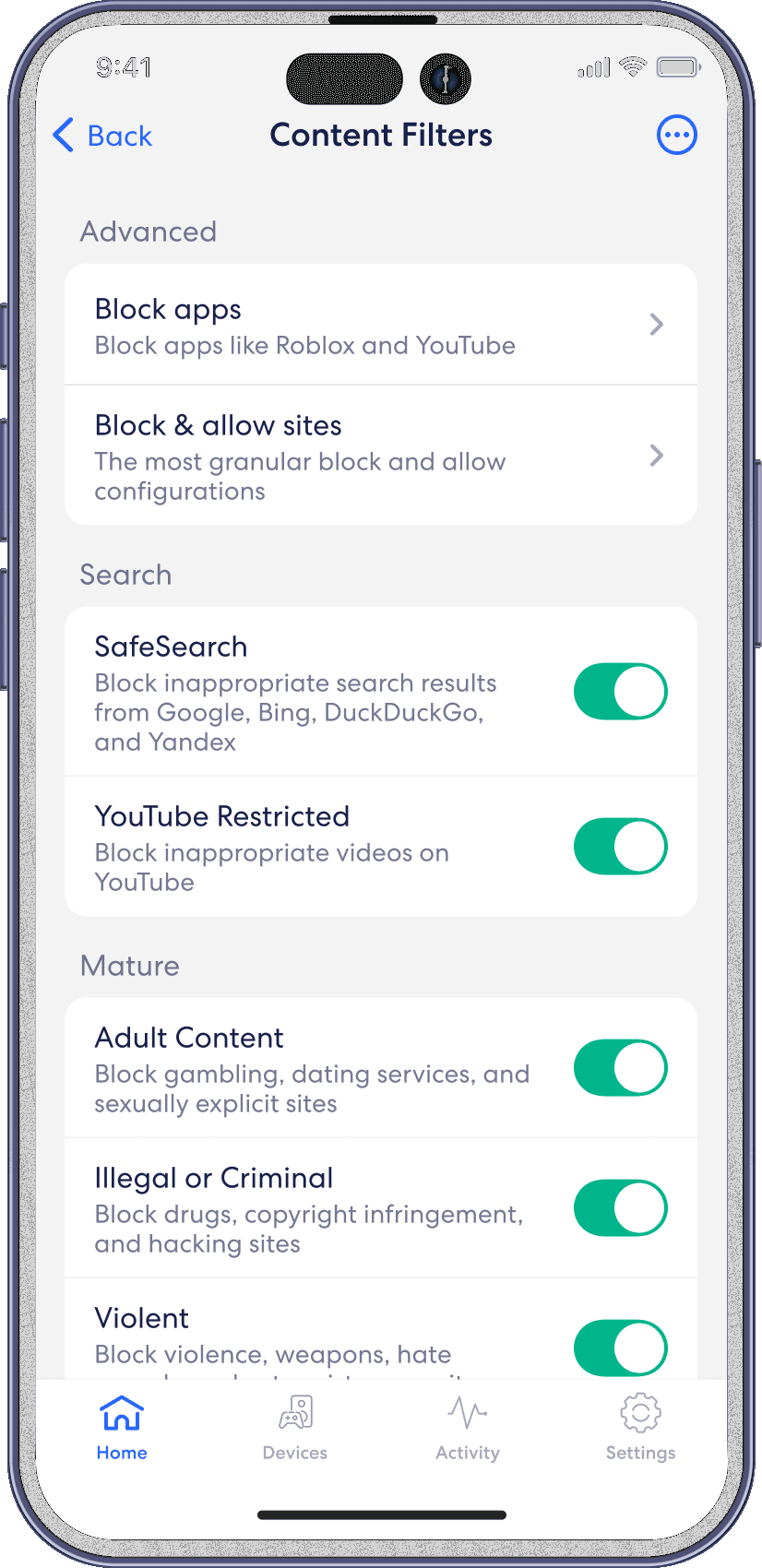
Content filters
eero
Use Profiles to set age-appropriate Content Filters, which block inappropriate content and create a safe online environment for your kids.
Set up Content Filters from the home tab in the eero mobile app
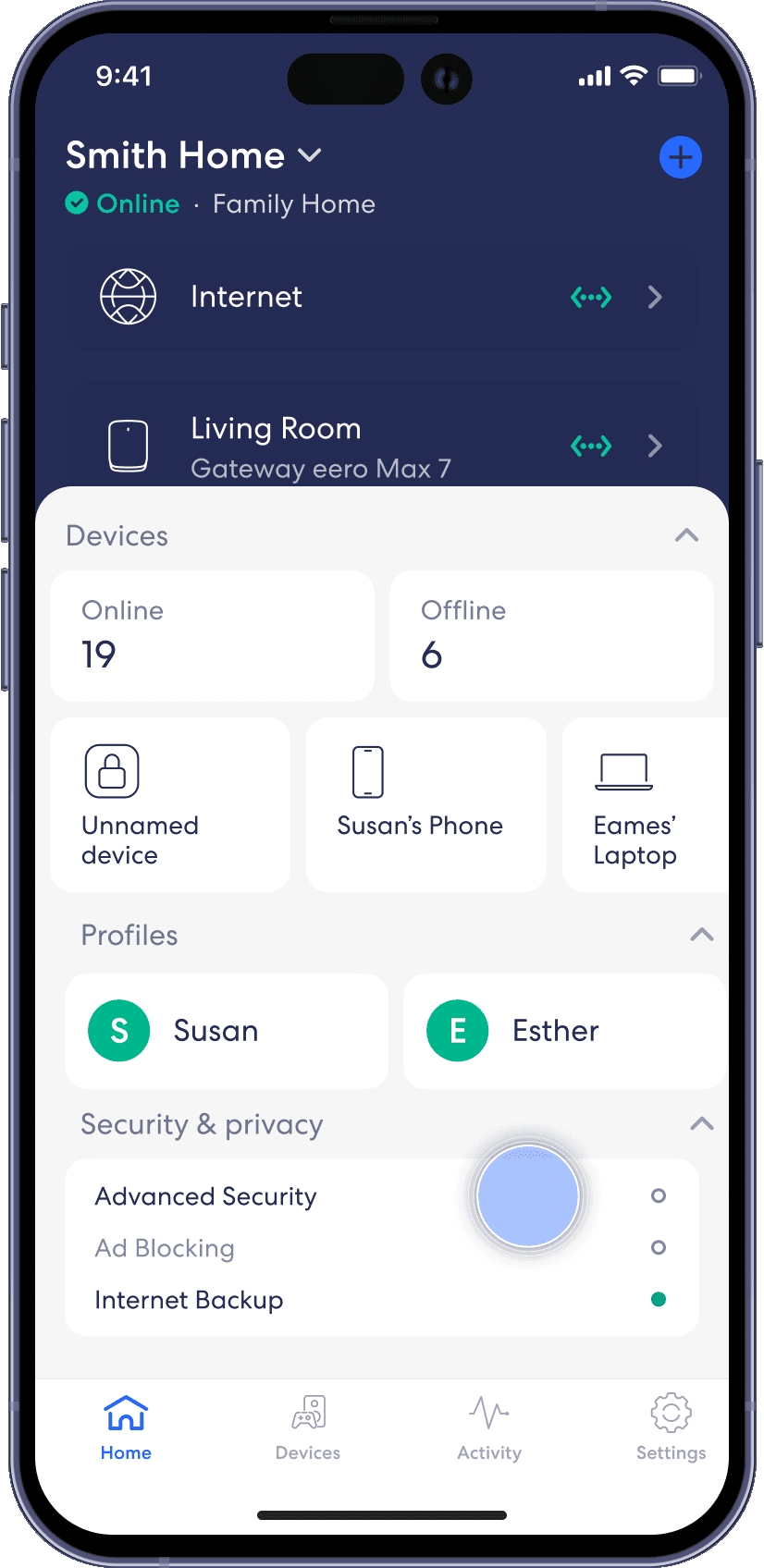
Step 1
From the Home tab, tap on the module under Security & privacy.
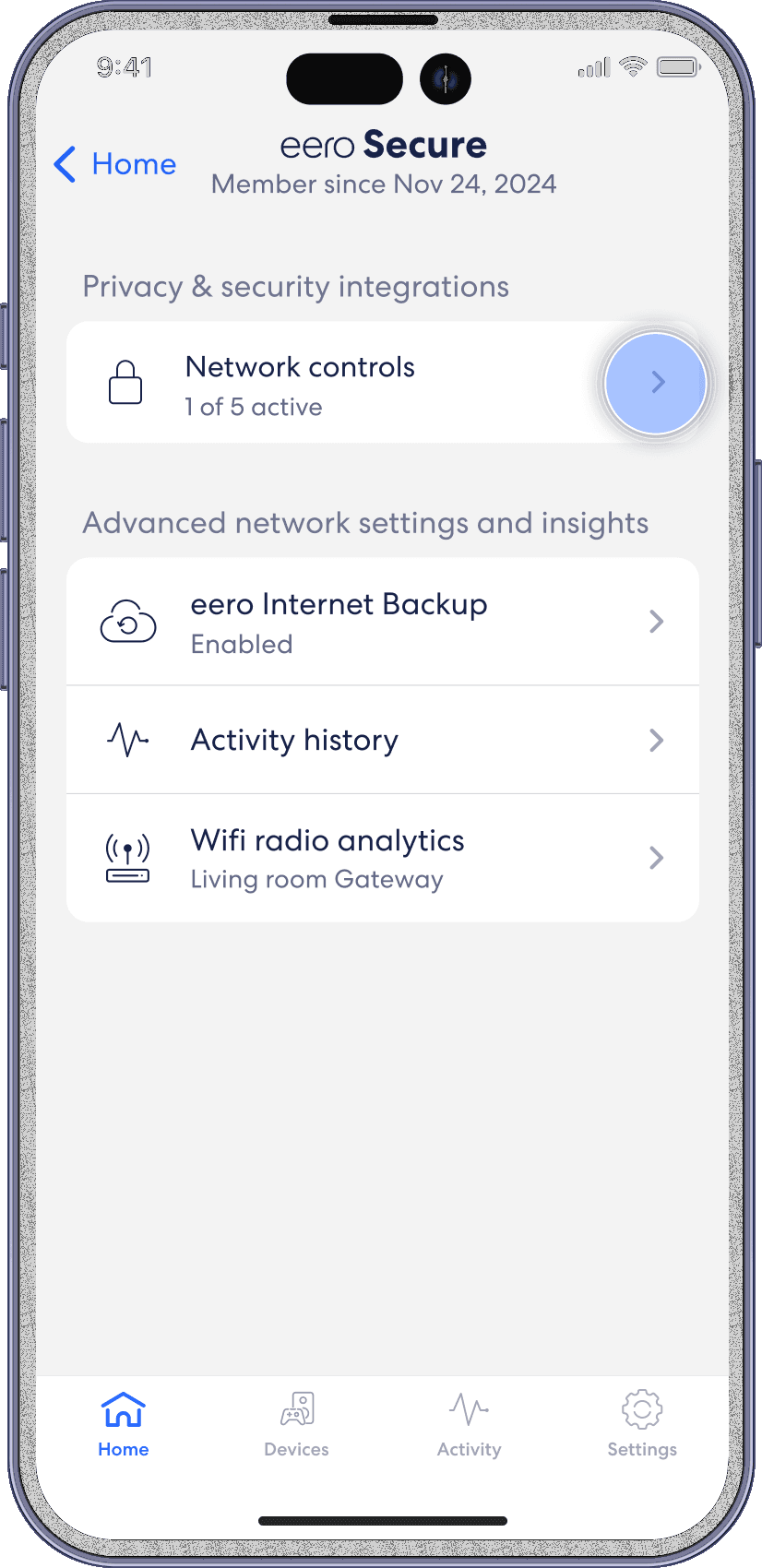
Step 2
Select on Network Controls.
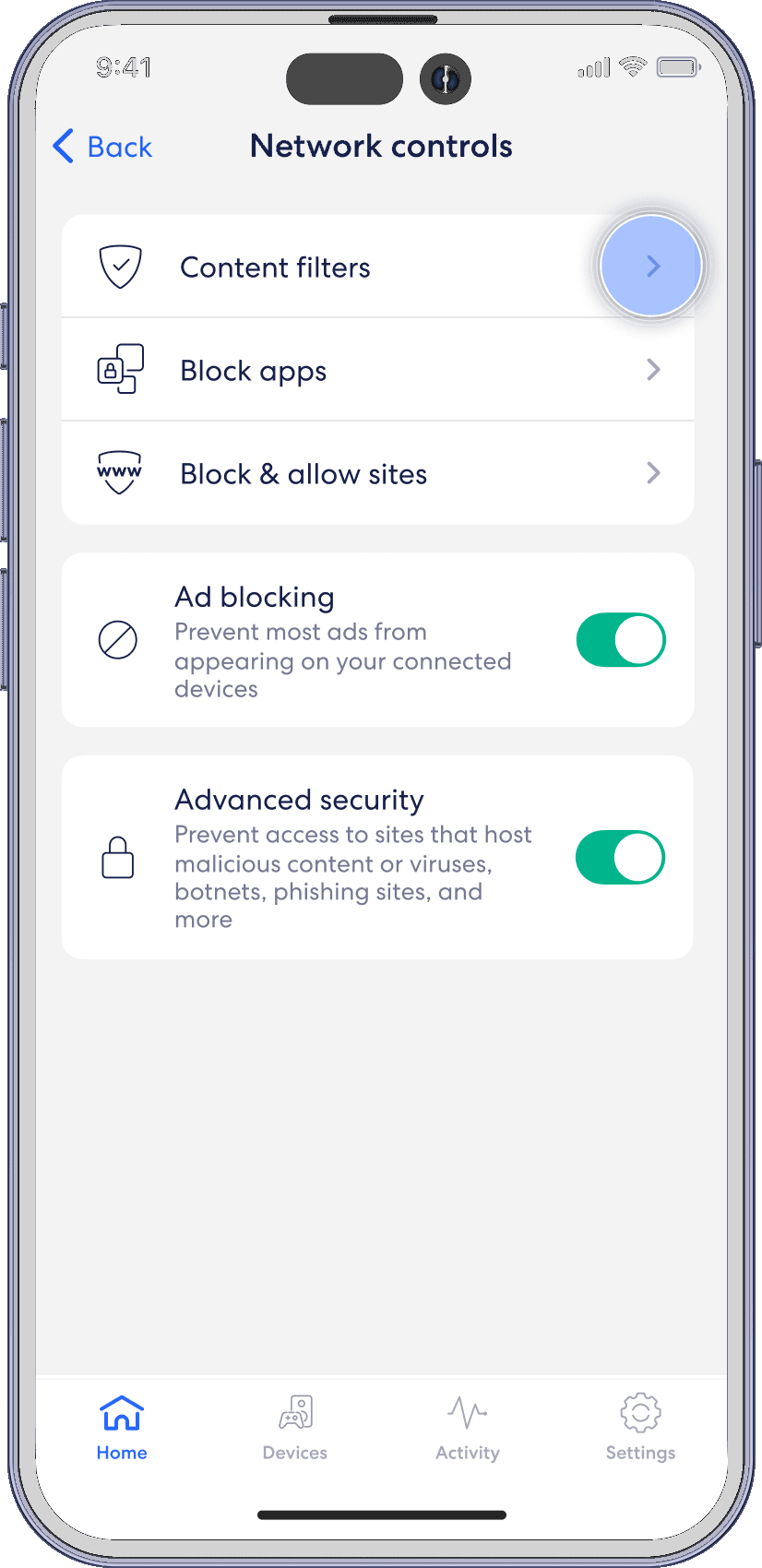
Step 3
Select Content filters.
Step 4
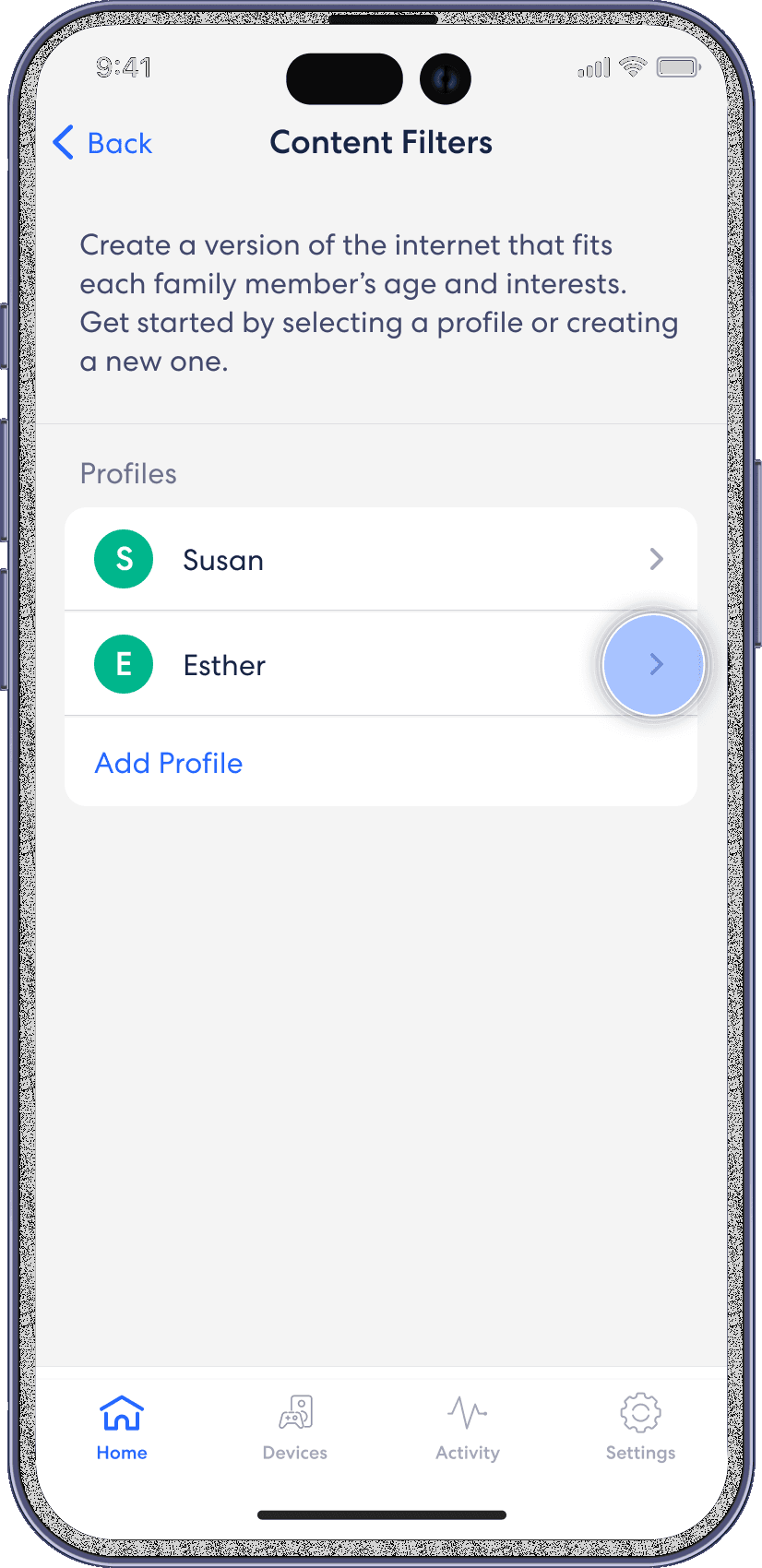
Select the profile for which you want to set up Content Filters.
Step 5
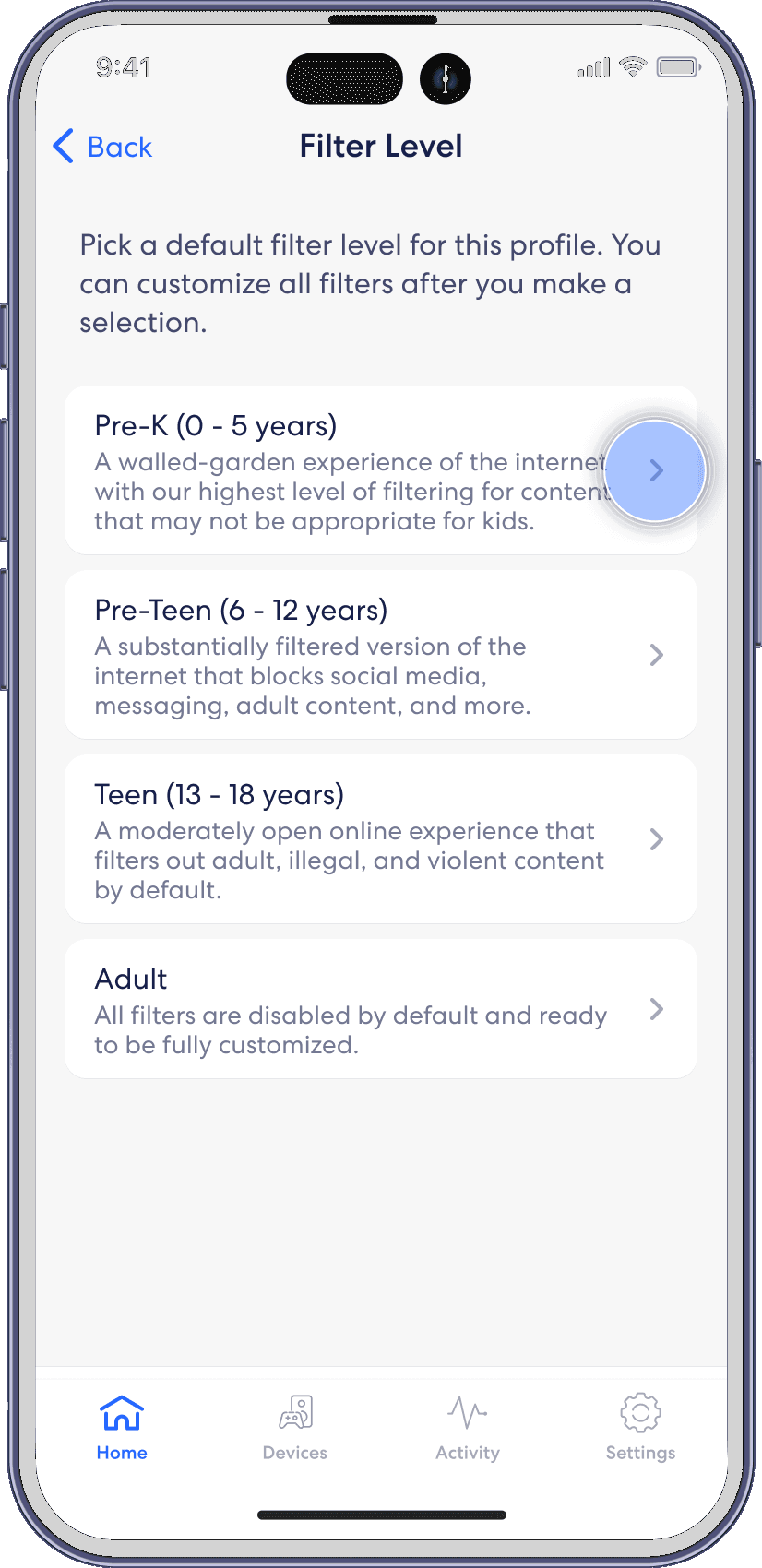
Tap the desired filter template.
Step 6
Review options and tap Apply.

Step 7
Toggle on/off individual content filter categories as desired.