
Block apps
eero
Be in control of your family’s online experience with app blocking. Set up Block App from the home tab in the eero mobile app.
Step 1
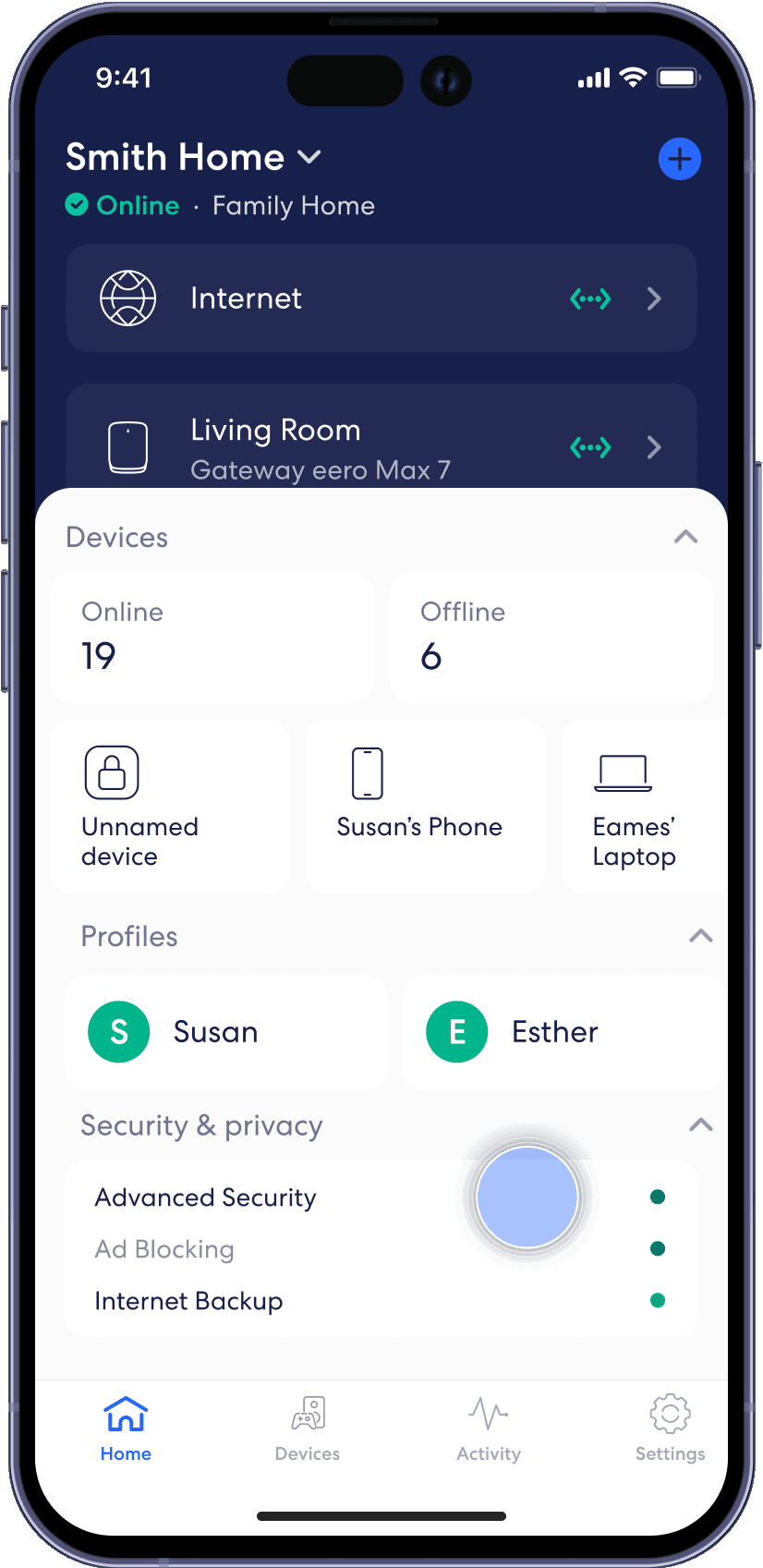
From the Home tab, tap on the module under Security & privacy.
Step 2
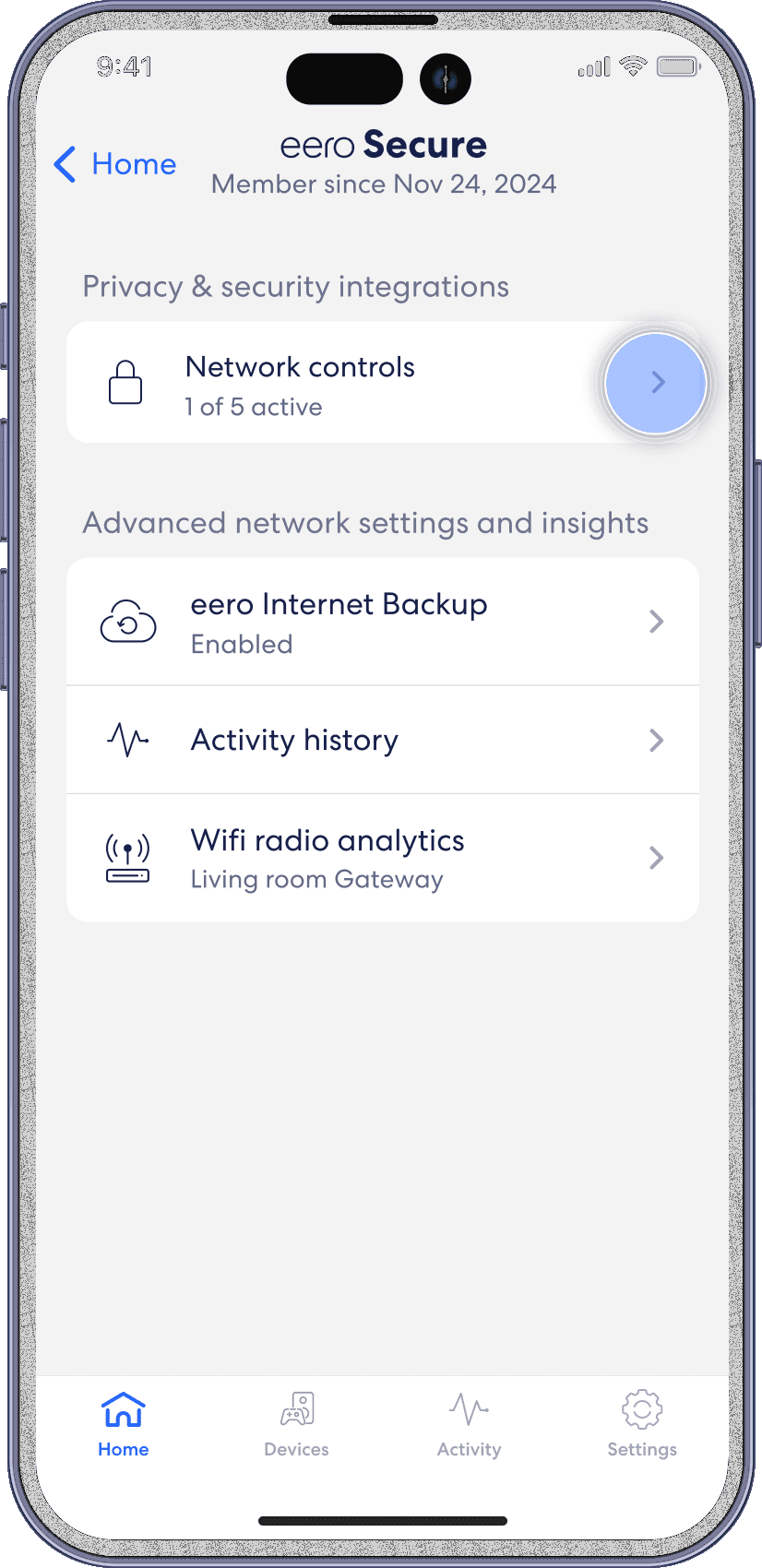
Select on Network Controls.
Step 3
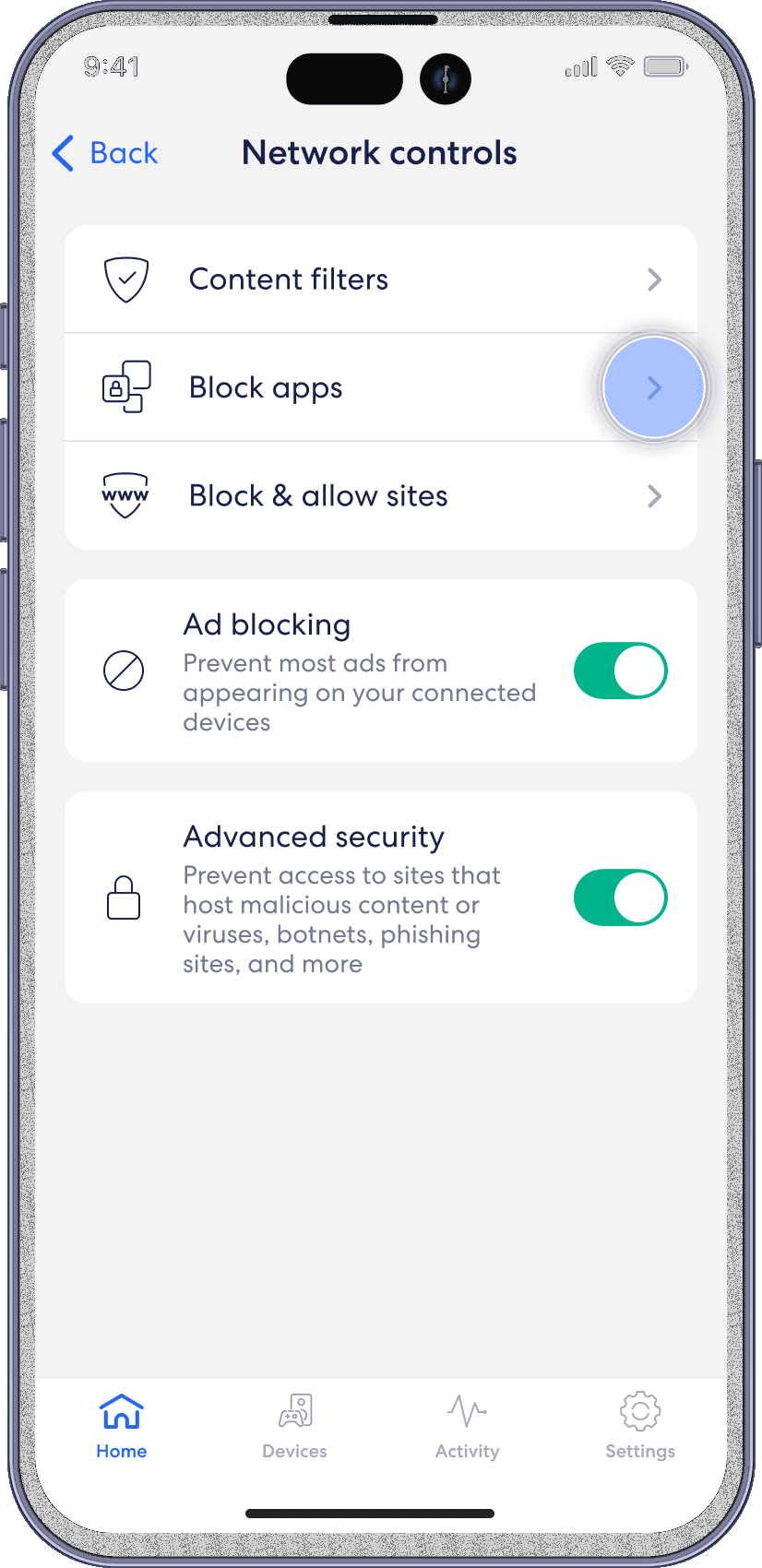
Select Block apps.
Step 4
Select the profile for which you want to Block Apps.

Step 5
Select the apps that you want to block.

Step 6
Confirm selection by tapping Done.
