Ad Blocking
eero
Speed up your browsing with fewer ads and protect your family from trackers and potential security threats. Turn on Ad Blocking from the home tab in your eero mobile app
Step 1
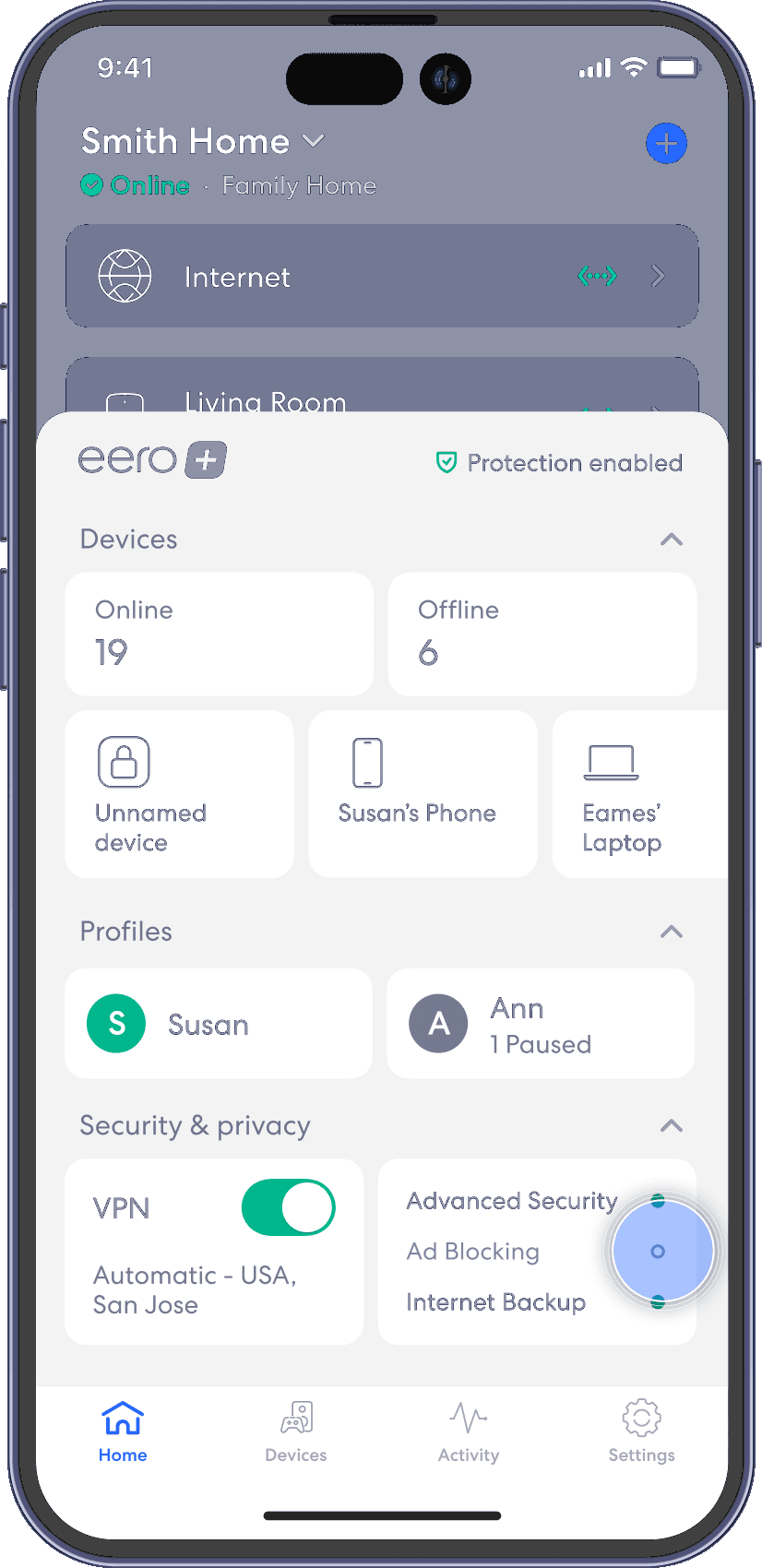
From the Home tab, tap on the module under Security & privacy that says Ad Blocking.
Step 2
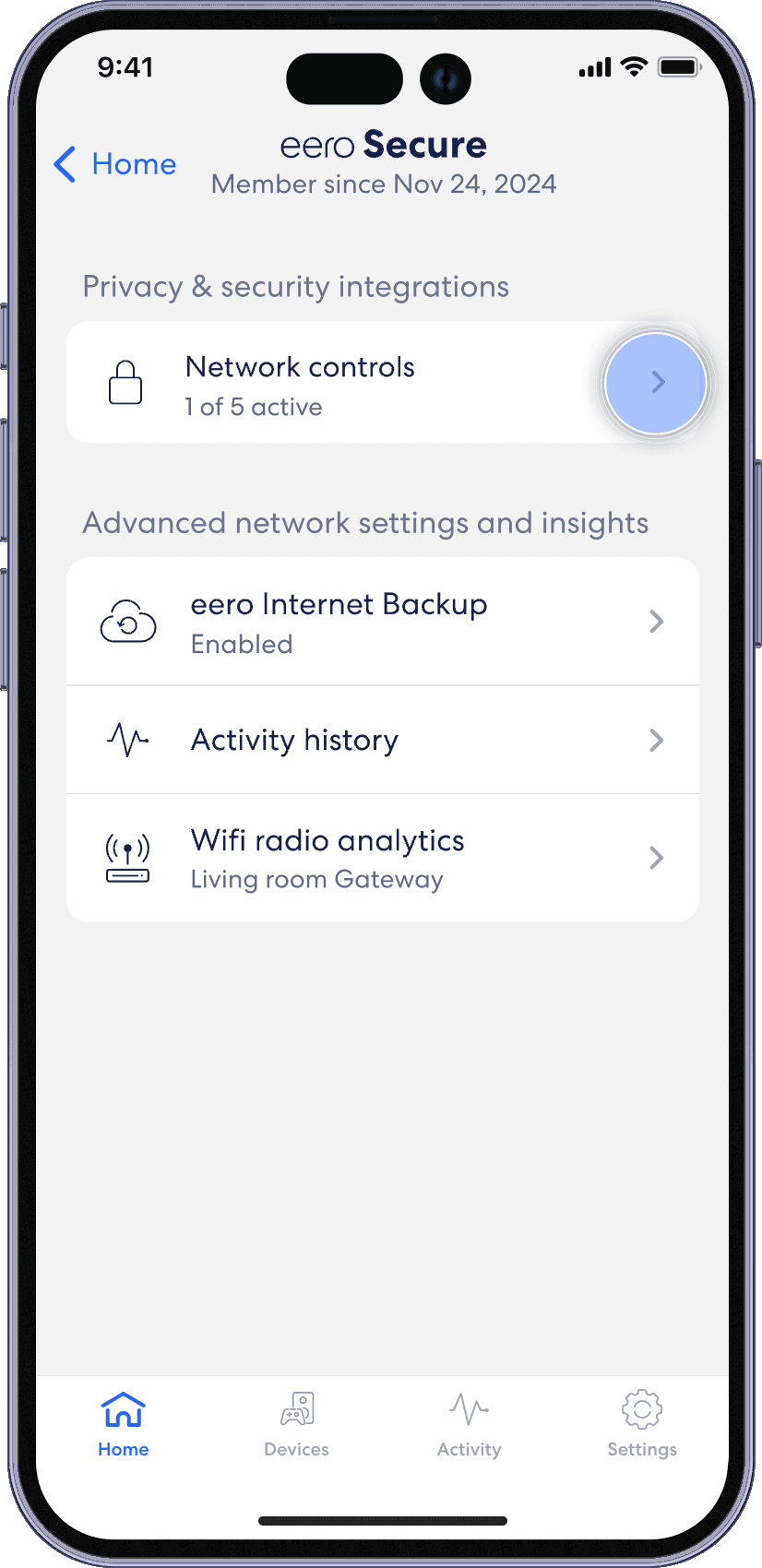
Tap on Network Controls.
Step 3
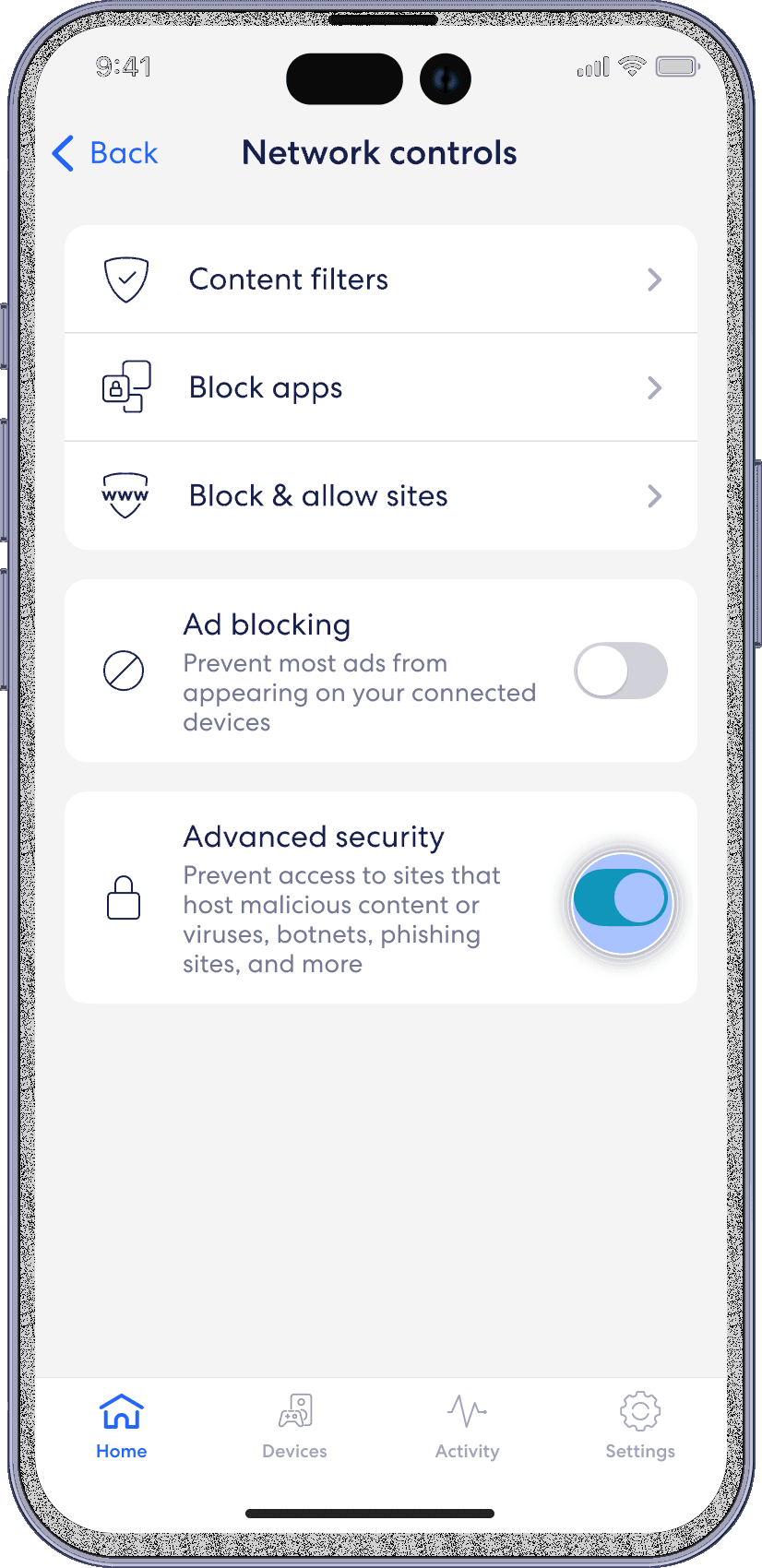
Toggle on Ad blocking.